Your data room is
a Dropbox folder.
Almost every deal in the country is sent out as a shared folder with a login on it. The step up from that is a portal your brokerage licensed in 1998. Neither of them argues anything — they store files and hope somebody reads them properly.
There are three options, and two of them are the same age as the fax.
A shared folder
Dropbox, Drive, or a data room product that is a shared folder with a price on it. Everybody has the link. Nobody knows who opened what.
- Access is a link, so access is everyone
- No record of who read what, or when
- Eleven PDFs and a spreadsheet
- Nothing in it makes your case
A brokerage portal
Real access control, finally — wrapped in an interface that predates the phone the buyer is holding, and a process that takes a week.
- Email the broker, then wait
- Print the NDA, sign it, send it back
- Invent a username and a password
- Then find a folder tree from 1998
A Steelman portal
The argument and the evidence in the same place, opening on a phone, with the terms signed on the way in.
- Ask, sign, and you are reading in minutes
- Every document, drawing and video opens in place
- Access granted per person, withdrawn per person
- Every view recorded, by name
The incumbents are not complicated. They are slow.
Same four steps in both columns. The difference is how many days sit between them, and how many places the person has to go.
- 01Email the broker to askWhenever they see it
- 02Sign an NDA and send it backA day, if they print
- 03Wait for somebody to set up an accountA day or two
- 04Register, invent a password, log inThen find the files
- 01Open the link and say who you areSeconds
- 02Sign the terms on the same screenA minute
- 03The client taps approve, on their phoneWhenever they look
- 04A link arrives and signs you inNo password, ever
Six screens. That is the entire product.
These are photographs of the running software, not drawings of it.
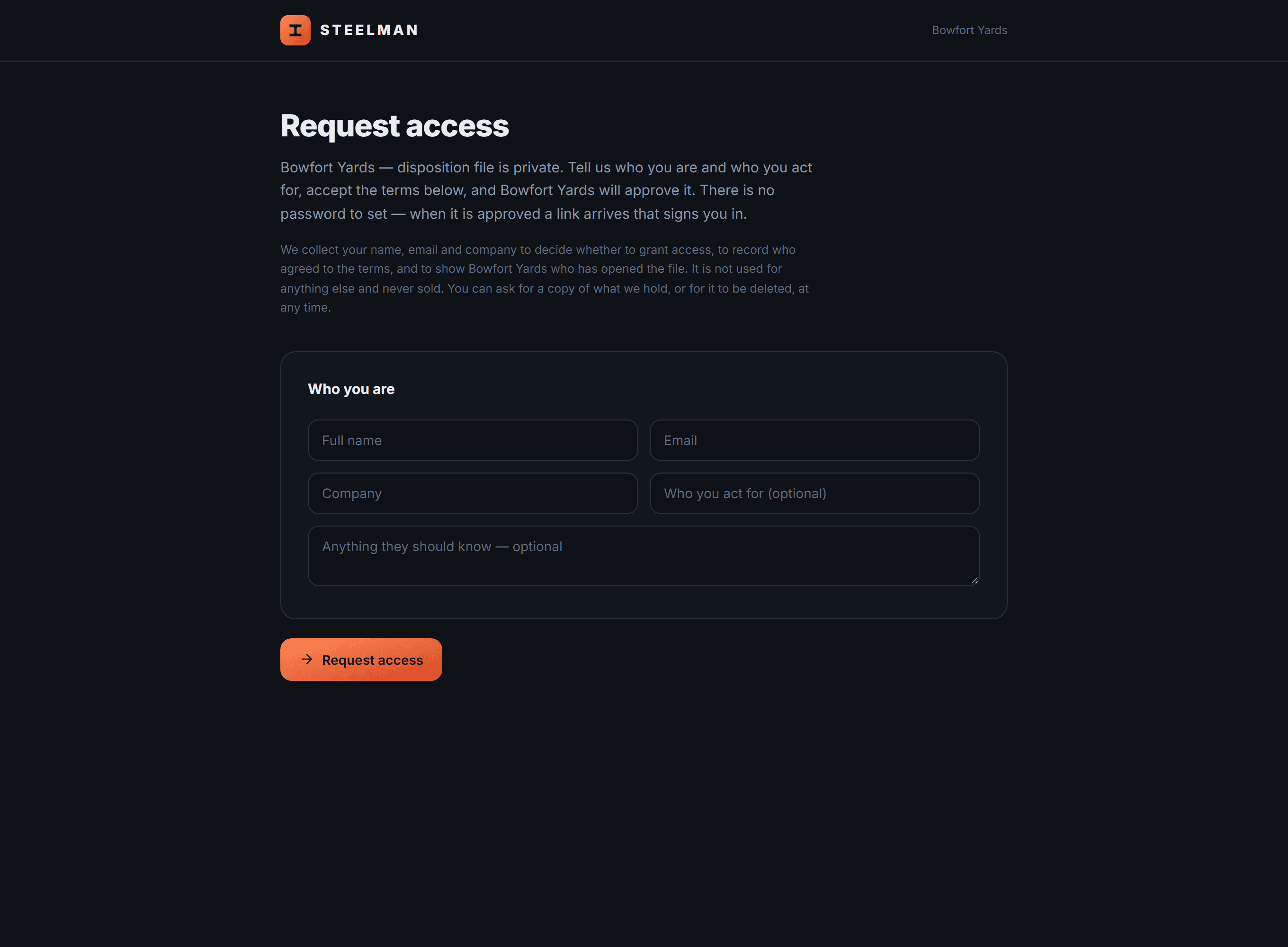
They ask
One link, in your listing and your email footer. Anyone may ask. Nobody gets in until you say so, and you see who they act for before you decide anything.
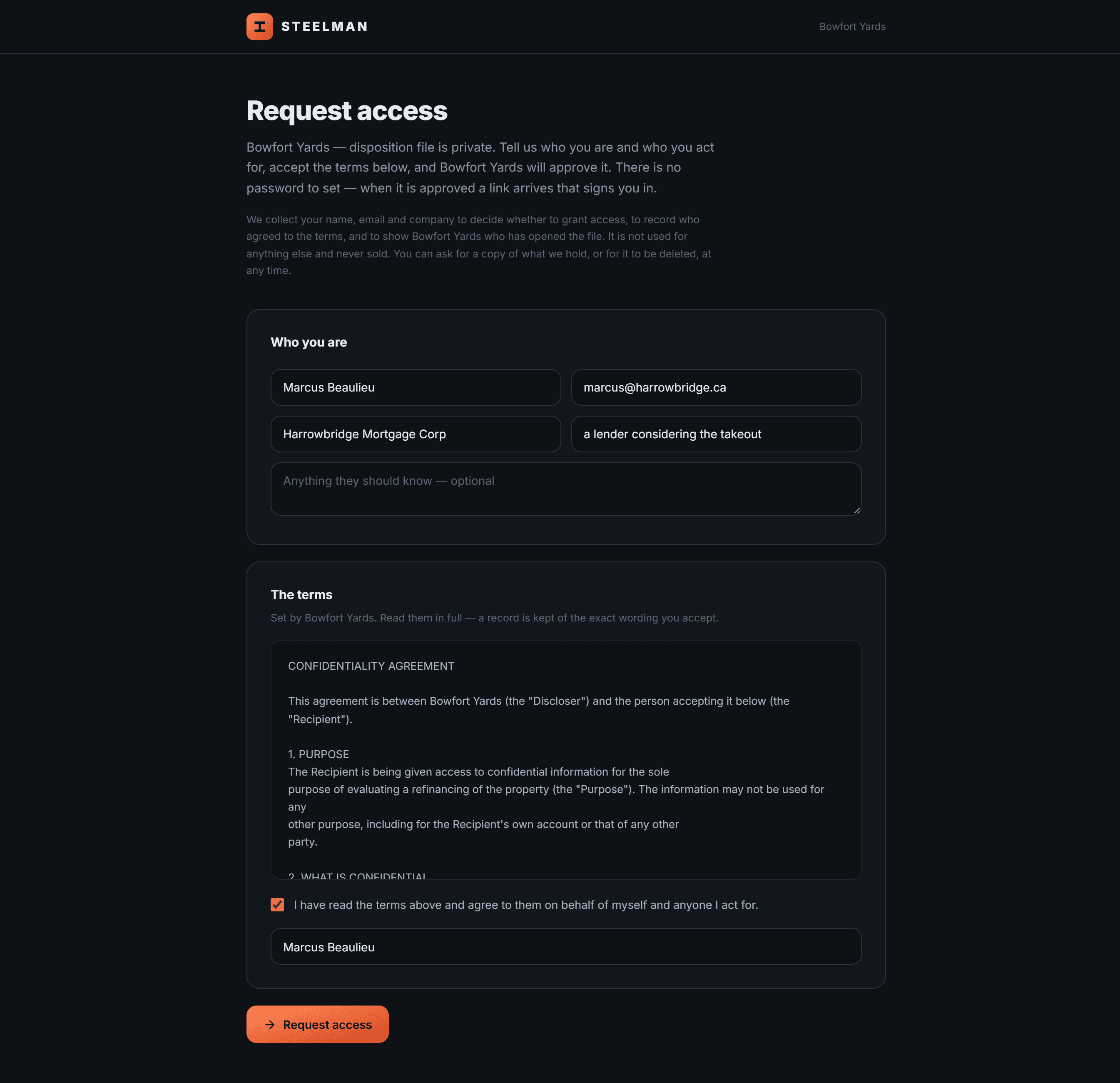
They sign, on the same screen
Your terms in full, agreed with a typed name. No printing, no posting back, no second application. A record is kept of the exact wording accepted — changing the terms later never rewrites what was already agreed.
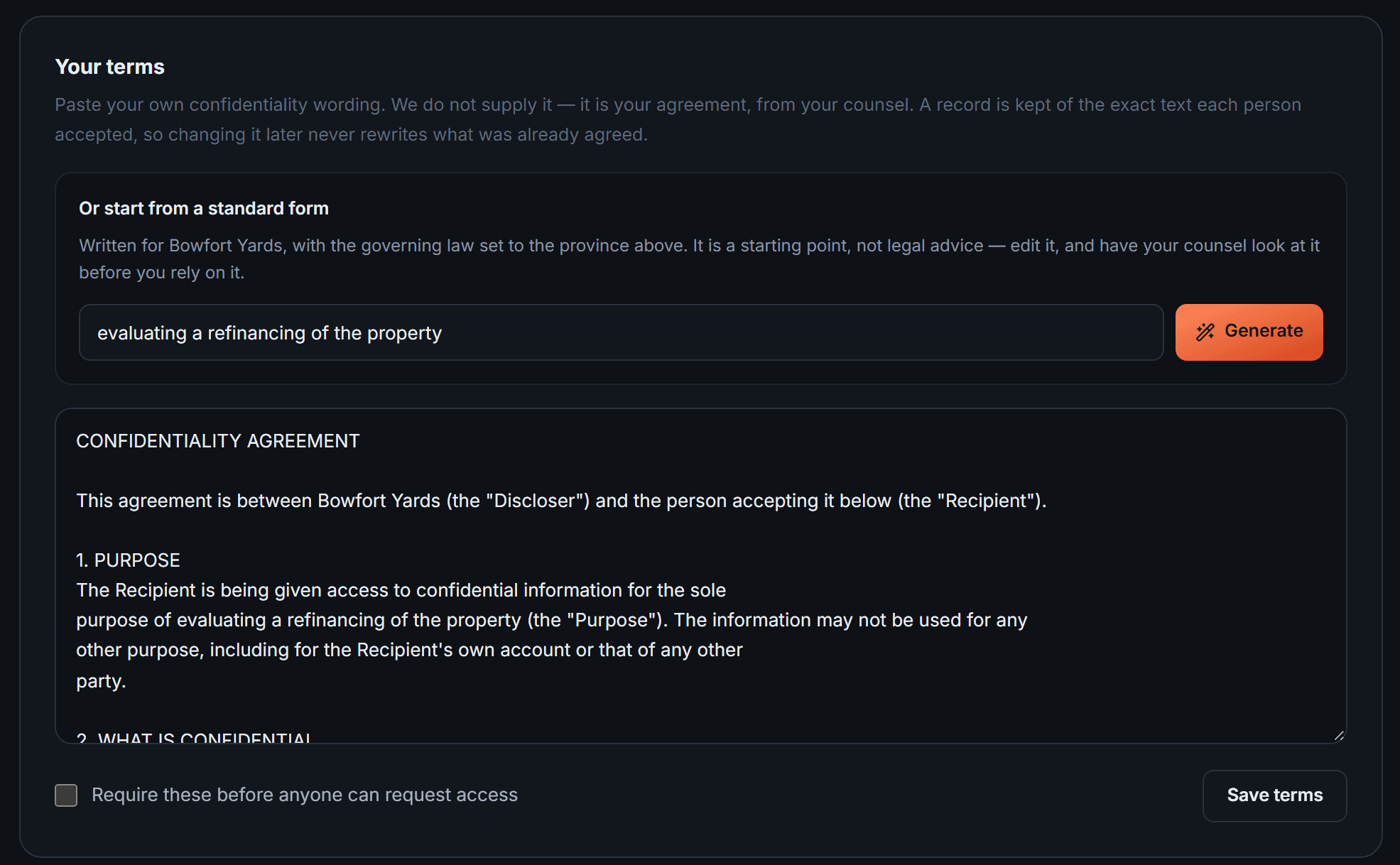
Or generate the terms in the first place
A standard form written for your file, with the governing law set from the province you selected. It is a starting point for your counsel, not legal advice — and your own wording is always allowed instead.
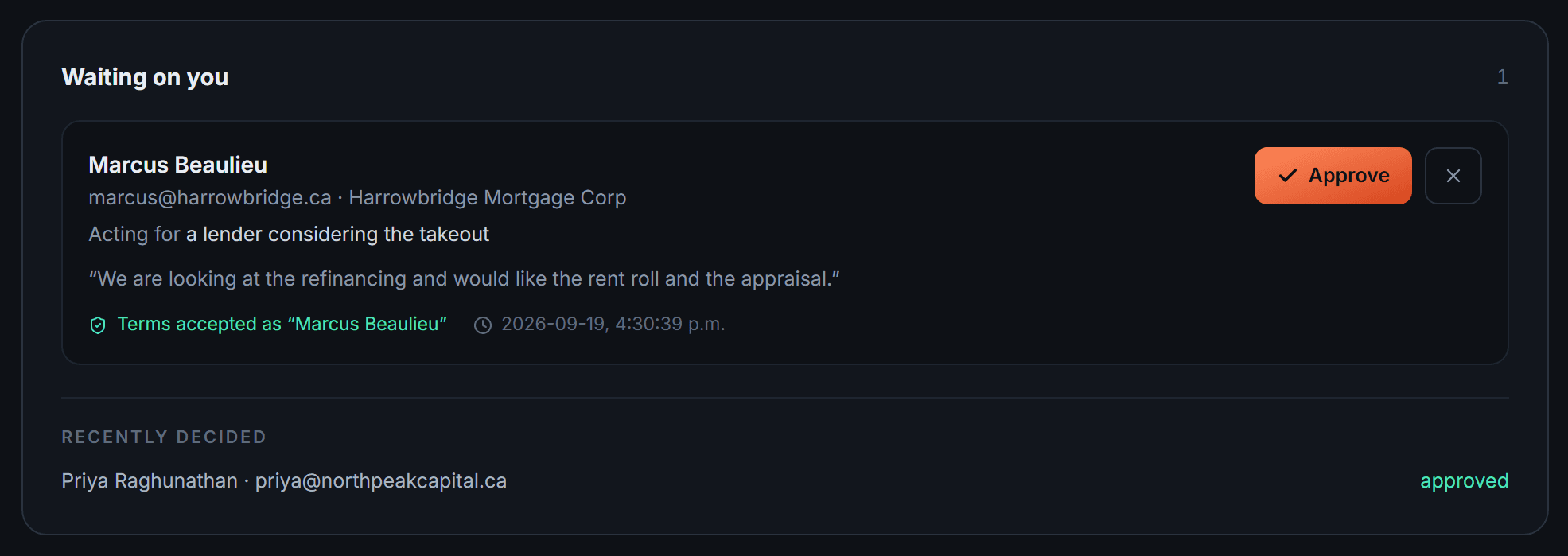
You approve, in one tap
The request arrives already signed, so the only thing left is yes or no. That is a thing somebody will actually do from a phone in a car park — which is the whole difference between this and a week of email.
Everything goes in, and you decide twice per file
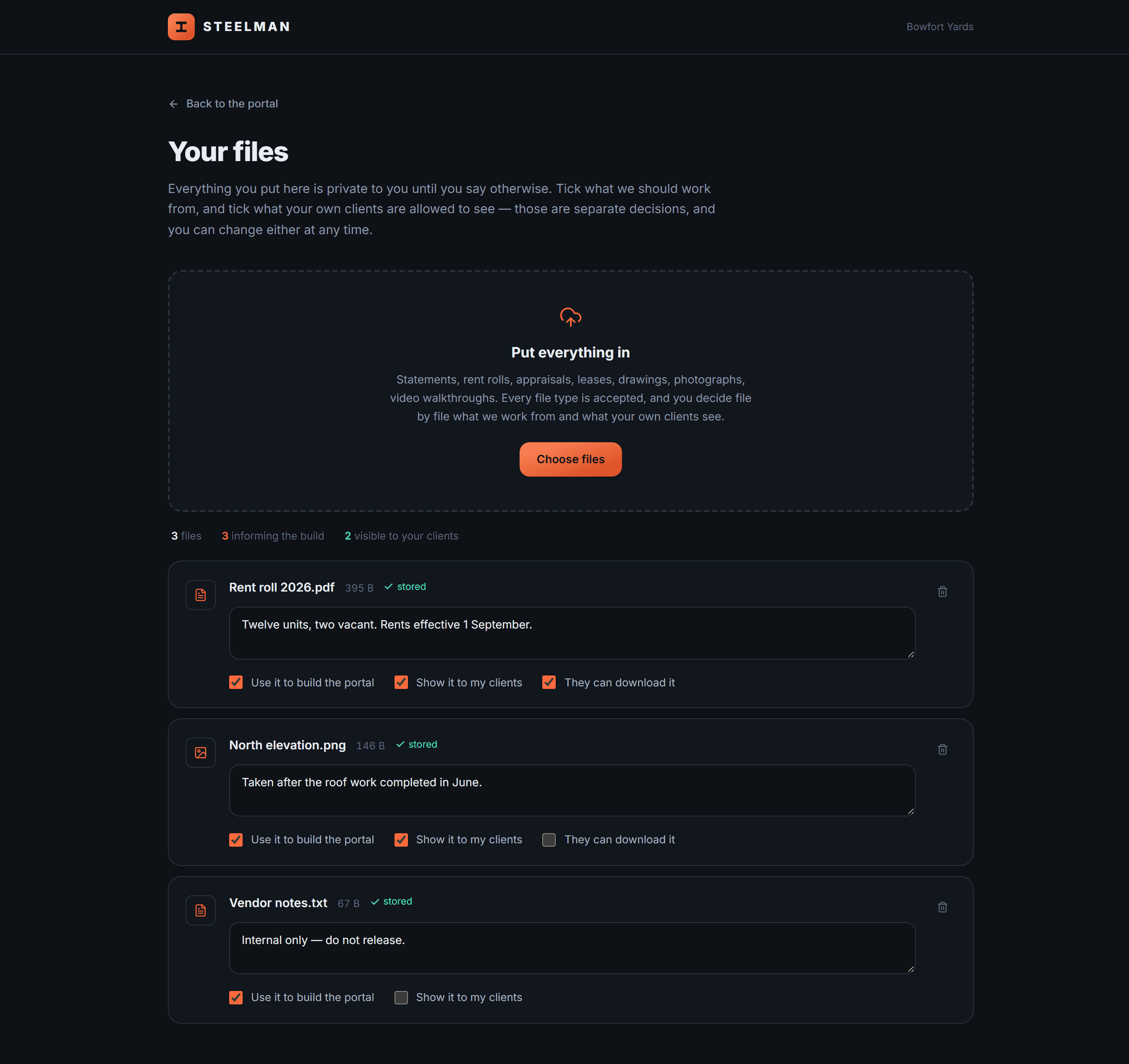
Statements, rent rolls, drawings, photography, video. Every type accepted. For each one: do we build from it, and do your own clients ever see it. Separate questions, separate answers — and a third tick for whether they may keep a copy.
They read it
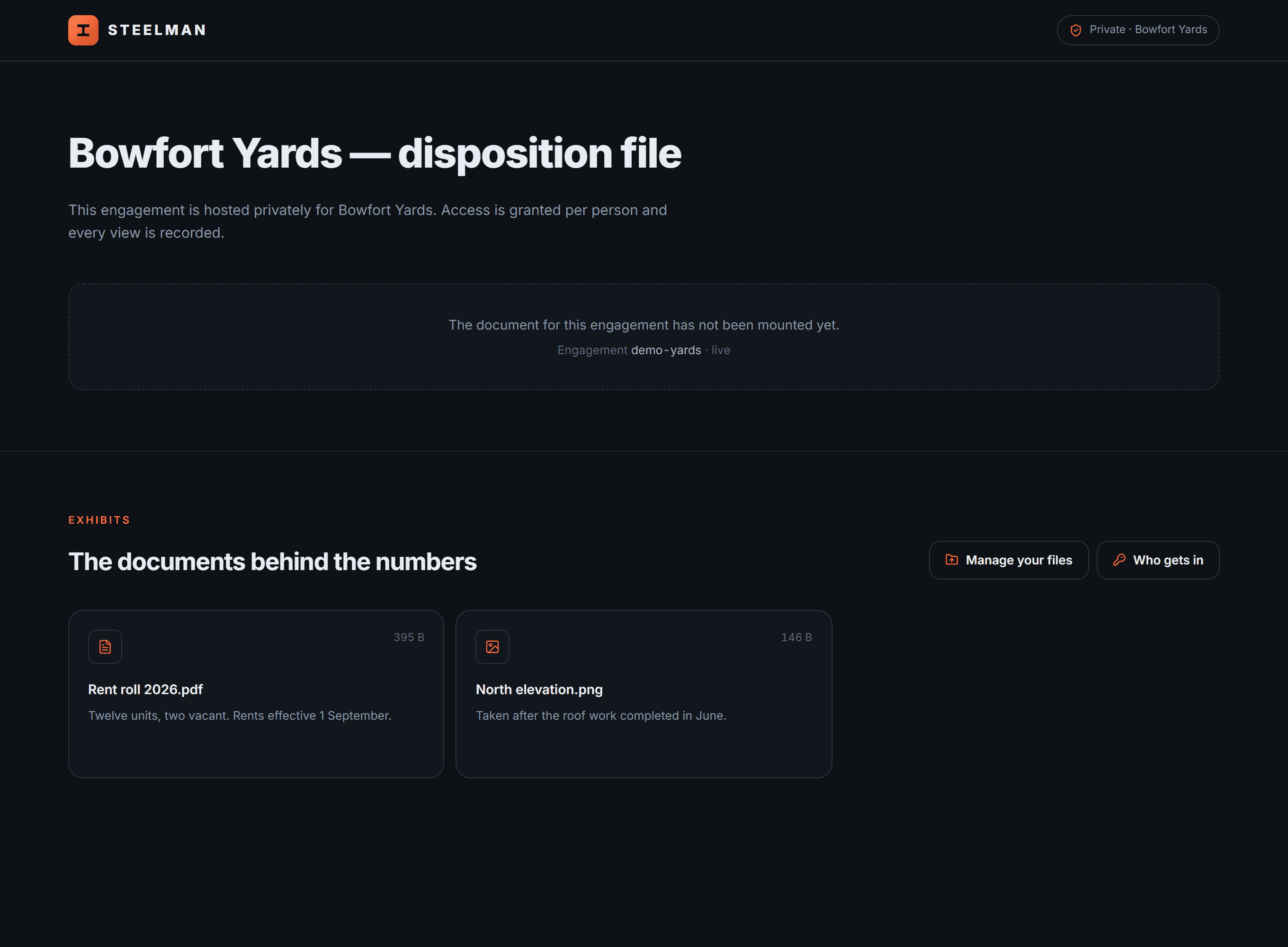
Documents inline, drawings and photographs full screen, video on the page. This buyer sees two exhibits, not three — the internal note was never shared, and there is nothing on the page to suggest it exists.
A record of who read what, and a clock that respects your regulator.
Signed, and provable
Terms accepted on the way in, with a real signature and an audit certificate — not a tick box. You can show exactly what each person agreed to, and when.
Every view, by name
Most data rooms treat access logs as an admin curiosity. For a lender or a receiver they are evidence — and for you they are intelligence about who is actually working the file.
Kept as long as you must
Set the province and the retention follows your own regulator's minimum, free — three years in Alberta, seven in BC, six in Ontario. Nothing is ever deleted without telling you first.
Cancel the data room. Send one link instead.
Send us a live file and we will tell you within a day whether there is an edge in it worth communicating. If there is not, we will say so and charge you nothing.